
Run Your Dream Grocery Store
Overview
Retail Store Simulator is a mobile-based simulation game developed by Kosin Games, designed to immerse players in the daily operations of running a grocery store. The game allows users to build and manage a retail business from the ground up, handling essential aspects such as inventory management, logistics, pricing, and customer service. Players begin with a small store, customizing its name and layout, then gradually expand by adding shelves, stocking products, and hiring staff to assist with operations.
The gameplay revolves around realistic retail tasks like pricing goods, scanning items at the register, and managing cash flow. It serves as a digital sandbox for individuals interested in retail management, offering a lighthearted yet engaging way to explore business fundamentals. While the game is primarily targeted at casual gamers and simulation enthusiasts, its mechanics may also appeal to those curious about small business operations.
The developer did not provide additional details about the game’s design philosophy or educational intent. Real-world usage scenarios include leisure time engagement, stress relief, and learning basic business concepts through interactive play.
Key Features & Capabilities
- Store Customization – Create a unique grocery store by choosing a name, designing the layout, and arranging shelves to match your vision.
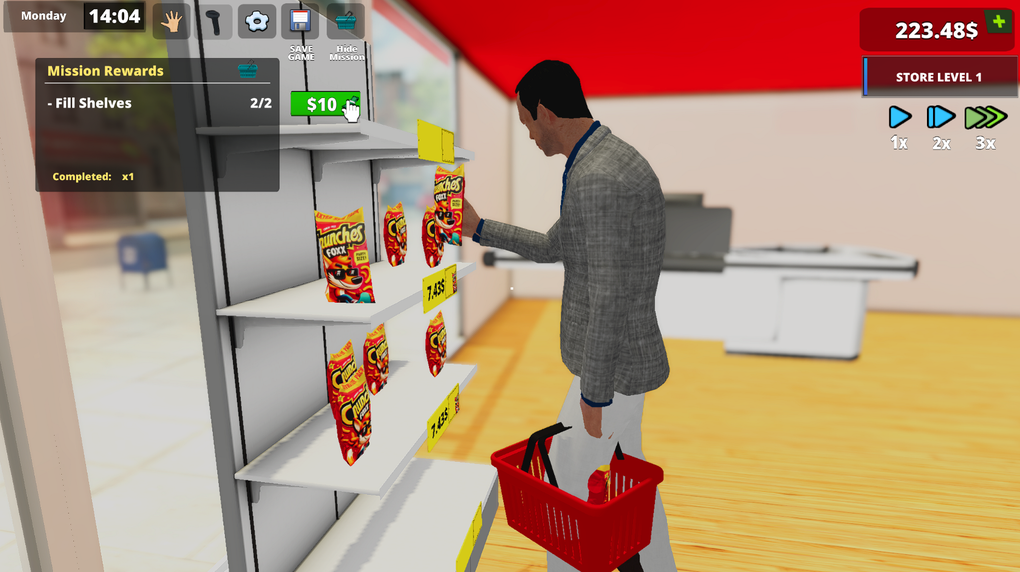
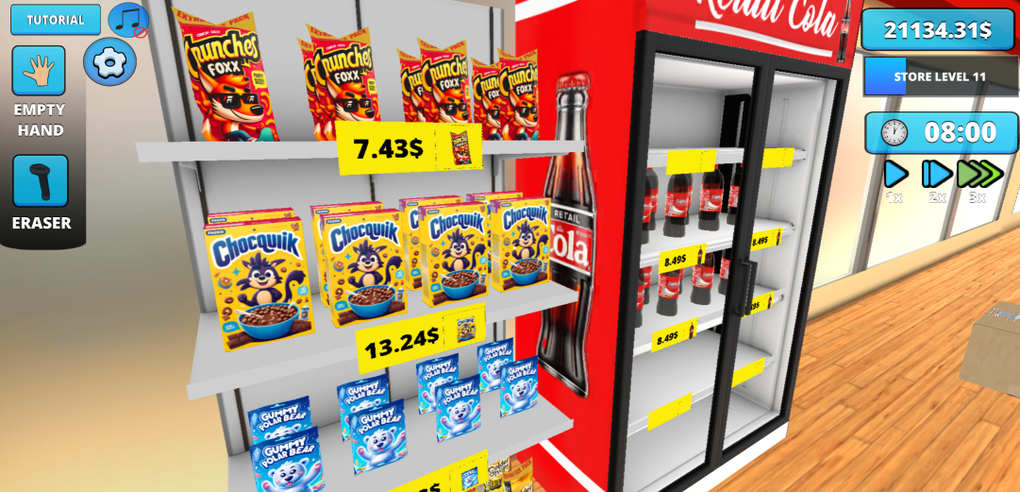
- Inventory & Pricing Management – Stock shelves with various goods, assign price tags, and adjust pricing strategies to maximize profit.
- Cash Register Simulation – Handle customer transactions by scanning items, calculating totals, and providing accurate change.
- Employee Hiring – Recruit staff to assist with inventory restocking, customer service, and cash handling to improve efficiency.
- Store Expansion – Unlock new item packages and expand your store’s footprint as your business grows.
- Business Progression – Advance from a small shop to a full-fledged supermarket through strategic decisions and resource management.
Each feature is designed to simulate real-world retail challenges in a simplified, accessible format. For example, pricing goods strategically can influence customer satisfaction and sales volume, while hiring employees allows for multitasking during peak hours. These mechanics encourage players to think critically about workflow optimization and long-term planning. The game’s progression system rewards consistent management and smart decision-making, making it suitable for both short sessions and extended gameplay. The developer did not specify advanced features like multiplayer modes or cloud save functionality.
User Interface, Workflow & Performance
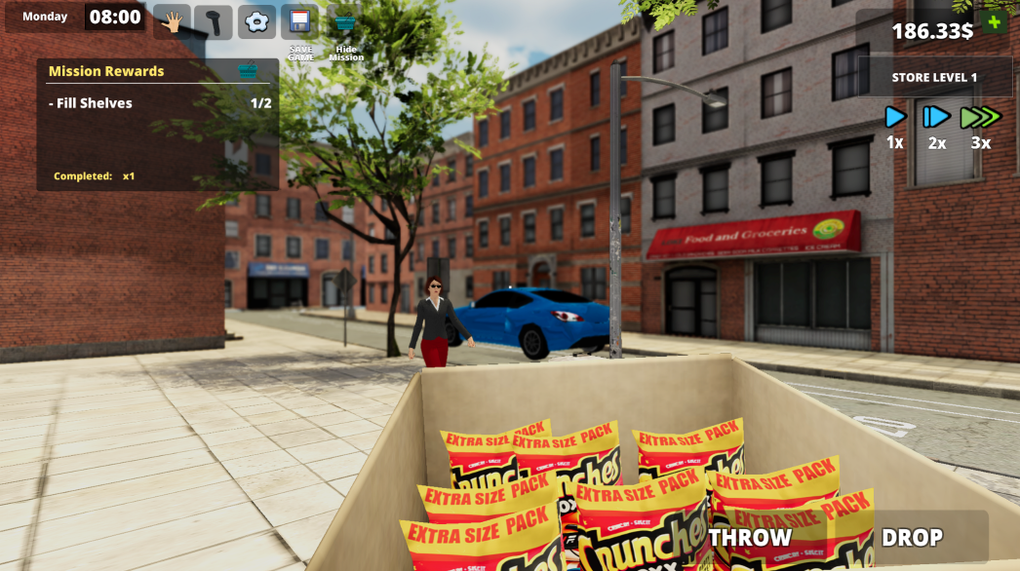
The user interface is structured around intuitive touch-based navigation, optimized for mobile platforms. The layout includes a central view of the store, with accessible menus for inventory, employee management, and financial tracking. Navigation is straightforward, with clearly labeled icons and a logical flow between core functions.
The workflow follows a natural progression: set up the store, stock products, manage transactions, and expand operations. Users can perform tasks such as placing items on shelves, adjusting prices, and processing payments with minimal friction. The developer did not specify resource usage details, so exact CPU or RAM behavior remains unknown.
Performance observations are based on general software behavior patterns for mobile simulation games. Some users may encounter minor bugs and glitches, which can disrupt the experience during critical gameplay moments. Stability appears to vary depending on device performance, though no official reports on crashes or freezes were provided.
Overall, the interface is functional and designed for ease of use, though it may feel limited on larger screens due to its mobile-first origins.
Compatibility & System Requirements
Retail Store Simulator is available on both Android and iOS platforms, supporting a wide range of mobile devices. The current version is 2.1.0, with a file size of 128 MB, indicating a lightweight installation. The developer did not specify exact system requirements, such as minimum RAM, processor speed, or storage space beyond the download size.
Compatibility information was partially provided, focusing on operating system support rather than hardware specifications. Users should ensure their device meets the standard requirements for running modern mobile applications. The game is not currently available as a desktop application, though it may be playable on Windows or Mac through emulators.
No official support for PC software was mentioned. The release date of April 15, 2024, suggests the game is actively maintained with recent updates.
Pros and Cons
Pros
- Free to download and play with no in-app purchase pressure
- Engaging simulation of real retail operations
- Customizable store layout and branding options
- Gradual progression from small shop to large supermarket
- Intuitive interface suitable for casual players
Cons
- Reported small bugs and glitches affecting gameplay
- Limited functionality compared to desktop simulation tools
- Mobile-only availability with no native PC version
- Performance may vary across older or low-end devices
- Developer did not provide detailed system requirements
FAQ Section
Is Retail Store Simulator available for Windows or Mac?
The game is currently designed for mobile platforms only. There is no official desktop version for Windows or Mac. Users may attempt to run it via emulators, but this is not supported by the developer.
Is the game safe to download and install?
As a mobile application published by Kosin Games, Retail Store Simulator is available through official app stores. It is recommended to download only from trusted sources to ensure security and avoid third-party modifications.
Does the game require an internet connection?
While the game may function offline after installation, certain features like updates, cloud saves, or in-app content might require an internet connection. The developer did not specify the exact online dependency.
How often are updates released?
The latest version, 2.1.0, was released on April 15, 2024. The frequency of future updates has not been disclosed by the developer.
What type of license does the game use?
Retail Store Simulator is offered as a free-to-play mobile application. It does not require a license key or activation process. The game may include optional in-app purchases, but no details were provided in the official description.
Final Thoughts
Retail Store Simulator delivers a charming and accessible simulation experience for players interested in retail management. Its core mechanics—inventory control, pricing, employee hiring, and store expansion—offer a satisfying loop of progression and customization. While the game has reported bugs and lacks a desktop version, its free model and engaging gameplay make it a compelling choice for casual gamers and simulation fans.
The mobile-first design ensures smooth performance on compatible devices, and the gradual difficulty curve keeps players invested over time. For those seeking a fun, low-stakes way to explore business operations, this game provides a solid foundation. The developer has shown ongoing support with recent updates, suggesting continued development.
Download Retail Store Simulator now and start building your dream grocery store today.







